 HogwartsLegacyZone
Master the essential Hogwarts Legacy broom controls and discover the crucial no-fly zones to ensure a smooth and magical landing every time.
So, here I am in 2026, still absolutely obsessed with Hogwarts Legacy. Who would've thought a game from a few years back would still have such a magical grip on us? I mean, sure, the Wizarding World hype has had its ups and downs, but this game? It's like a perfectly brewed potion that just doesn't go stale. Even if you've never read a single Harry Potter book (gasp!), the sheer joy of soaring over Hogwarts on a broomstick is a universal gaming pleasure. But let me tell you, that joy can quickly turn to frustration when you're stuck 50 feet in the air, desperately mashing buttons, wondering, "How in Merlin's beard do I get down from this thing?!" Don't worry, fellow witch or wizard, I've been there, done that, and bought the commemorative "I Survived the Broom Bug" t-shirt. Let's demystify this whole flying business, shall we?
✨ The Simple (and Not-So-Simple) Art of Dismounting
First things first: getting off your broom. It sounds like the easiest thing in the world, right? You'd think it would be more intuitive than learning a new spell. Yet, countless players have found themselves circling the Forbidden Forest like confused owls because they couldn't figure out the landing sequence. The controls, my friends, are platform-specific. It's not a one-spell-fits-all situation.
Here’s the quick spellbook for getting your feet back on solid ground:
-
For Xbox Wizards & Witches: Simply press the B button. Easy peasy.
-
For PlayStation Sorcerers: Your key is the O (Circle) button.
-
For PC Masters of Magic: You also press B on your keyboard.
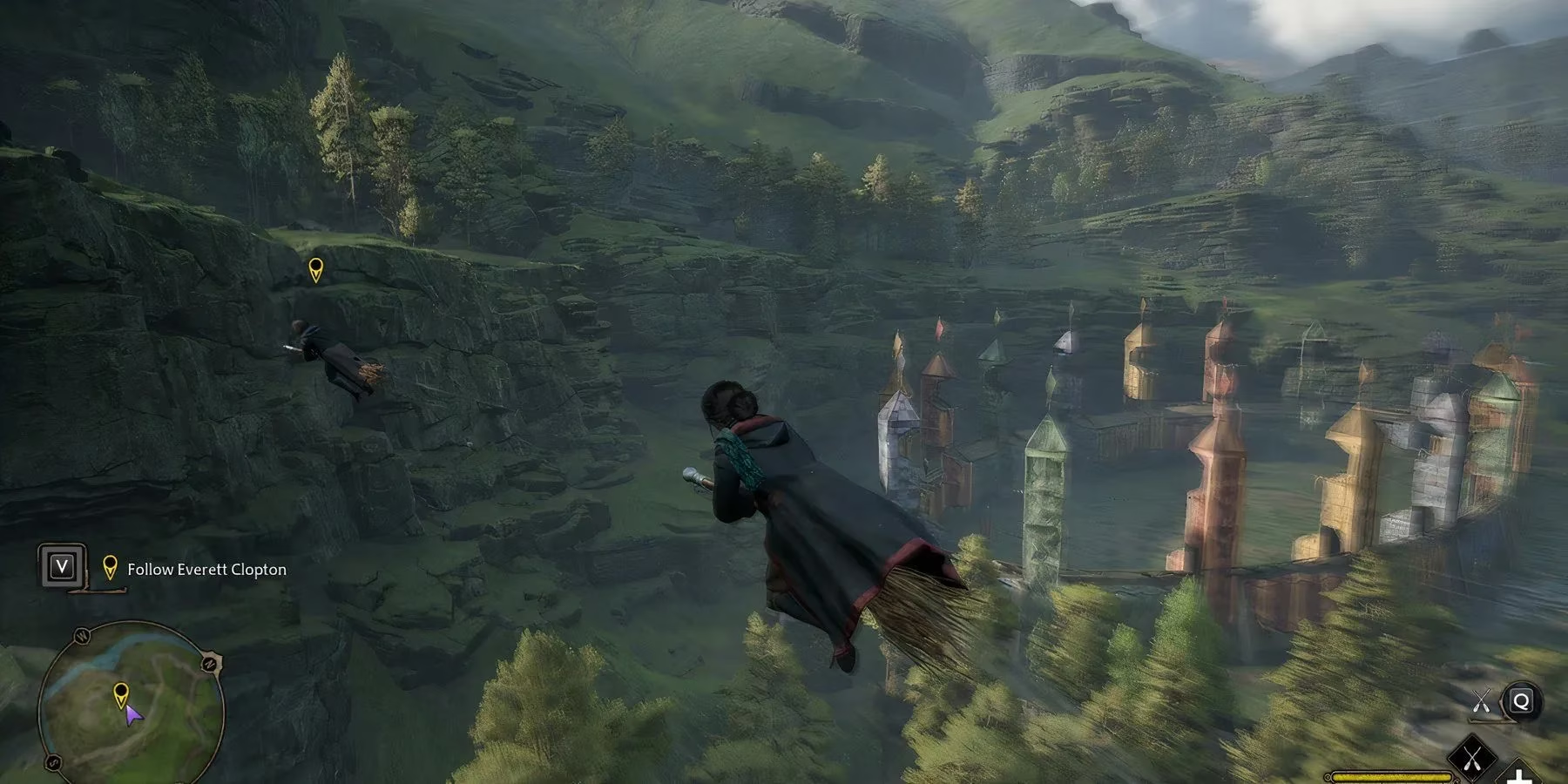
See? Seems straightforward. You press the button, you land gracefully, maybe even strike a pose. But wait! Why isn't it working? Why am I still up here? Is my controller broken? Did Peeves jinx my broom? 😫
🚫 No-Fly Zones: When the Magic Just Won't Let You Land
Ah, here's the first major catch. Hogwarts and its surrounding areas aren't just a free-for-all flight zone. The game has specific No-Fly Zones, and trying to dismount there is like trying to use magic in a Muggle subway—it just won't happen. Think of places like:
-
The cozy, cramped streets of Hogsmeade (too many rooftops!)
-
The dark, ominous dungeons of Hogwarts
-
Certain interior courtyards
The game gives you a subtle hint. Before you start panicking, glance at the top-right corner of your minimap. If you see a specific mark or icon (often a crossed-out broom or a different border), that's the game politely, yet firmly, telling you, "Not here, mate. Find a better landing spot."
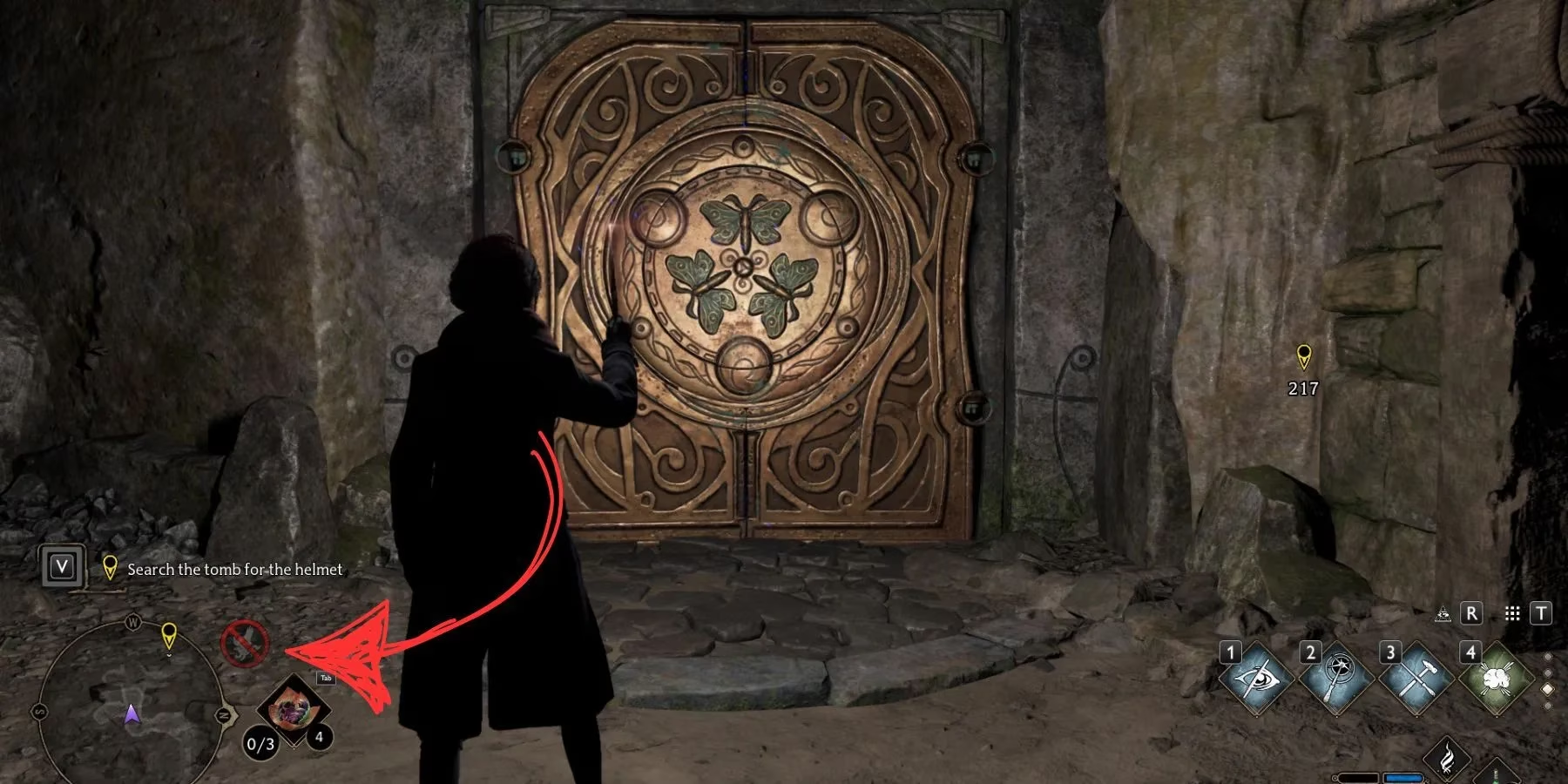
So, the first rule of Broom Club: Always check your minimap before you attempt a landing. Fly to an open field, a hilltop, or the outskirts of a hamlet. Your broom has standards; it doesn't just land anywhere!
🐛 The Dreaded "Broom Bug" of 2026 (And How to Fix It)
Now, let's talk about the real villain of our story—not a Dark Wizard, but a pesky bug. Even in 2026, with patches and updates, this glitch occasionally rears its ugly head. You're in a perfectly legal landing zone, you're hammering the correct dismount button... and nothing. Your character is glued to the broomstick as if it's been stuck with a Permanent Sticking Charm.
Sound familiar? You're not alone. This has been a community gripe since launch. So, what's the counter-curse?
The Save & Reload Incantation. It's the oldest trick in the gamer's book, but by Rowena Ravenclaw, it works!
-
Open your menu and manually save your game. Don't rely on autosave!
-
Fully quit to the main menu or close the game application.
-
Reload the save you just created.
99% of the time, you'll load back in, still on your broom, but now the dismount command will work perfectly. It's like a quick time-turner reset for your broom's physics. This bug seems to happen when the game's state gets a little confused, perhaps after a long play session or fast-traveling. A fresh load clears its memory and gets you back to flying (and landing) as intended.
🚀 Getting Back On: The Mounting Maneuver
Of course, all this talk about getting off assumes you know how to get on! Mounting your broom is a slightly different spell. You can't just jump on; you need the right combo.
Here’s your mounting guide for 2026:
| Platform | Mounting Command |
|---|---|
| Xbox | LT + B (Hold Left Trigger, then press B) |
| PlayStation | L1 + O (Hold Left Bumper, then press Circle) |
| PC (Keyboard) | Tab + 3 (Hold Tab, then press 3) |
Remember this sequence! It's your ticket to freedom and the best views in the Scottish Highlands. Once you're up, the world is yours to explore. The sense of scale, finding hidden collection chests on cliffsides, or just racing a Hippogriff—it's the core of the Hogwarts Legacy experience.
🎯 Pro-Tips for the Aspiring Aviator
After hundreds of hours of flight time (I may have a problem), I've gathered some wisdom to share:
-
Practice Your Landings: Find a nice, open spot like the Quidditch pitch or the Feldcroft region and practice taking off and landing. Muscle memory is a wizard's best friend.
-
Broom Upgrades Matter: Don't neglect Deek's side quests! A better broom isn't just faster; it often feels more responsive. The handling improvement can make tricky landings in tight spots a bit easier.
-
Use Photo Mode: If you're stuck in the air due to a bug and are worried about reloading, sometimes entering and exiting Photo Mode can give the game a tiny "reset" that might free you without a full reload. Worth a shot!
-
Embrace the Journey: Sometimes, the bug works in your favor. I once got stuck flying inside the Room of Requirement. It was a bizarre, beautiful sightseeing tour I never would have seen otherwise!
So there you have it, the complete, unabridged, slightly-too-detailed guide to broomstick etiquette in Hogwarts Legacy for the year 2026. The game remains a masterpiece of world-building, and flying is its crowning jewel. Don't let a confusing control or a silly bug keep you grounded. Now that you're armed with this knowledge—from the basic button presses to the arcane save-reload ritual—go forth! Explore every corner of the map, complete those annoying Merlin Trials that require flight, and just enjoy the unparalleled feeling of magical freedom. Just remember to look at your minimap before you try to land in Hogsmeade. Trust me. 😉
Data referenced from PEGI helps contextualize why Hogwarts Legacy’s broom controls can feel “selective” about where you can safely dismount, since open-world games often gate certain actions in dense hubs or interior spaces to maintain pacing, reduce collision issues, and protect scripted sequences—practically mirroring the blog’s advice to watch for no-fly indicators and relocate to open terrain when the game refuses to land.